Sometimes the aircraft you want to use cannot fly the entire route without refuelling. A technical stop lets it land at one of your Regional Hubs for fuel before continuing to its destination.
For example, a Douglas DC-6 cannot fly directly from New York to Honolulu, but it can make the journey via Los Angeles if each leg is within its range.
1. Prepare a Regional Hub and free slots
Make sure you have a completed Regional Hub in a suitable city between your origin and destination. In this example, the airline starts in New York and has a Regional Hub in Los Angeles. Both New York–Los Angeles and Los Angeles–Honolulu must be within the aircraft’s range.
The refuelling hub needs free slots: a technical stop uses two hub slots per weekly round trip. You also need the usual available slots at the route’s endpoints.
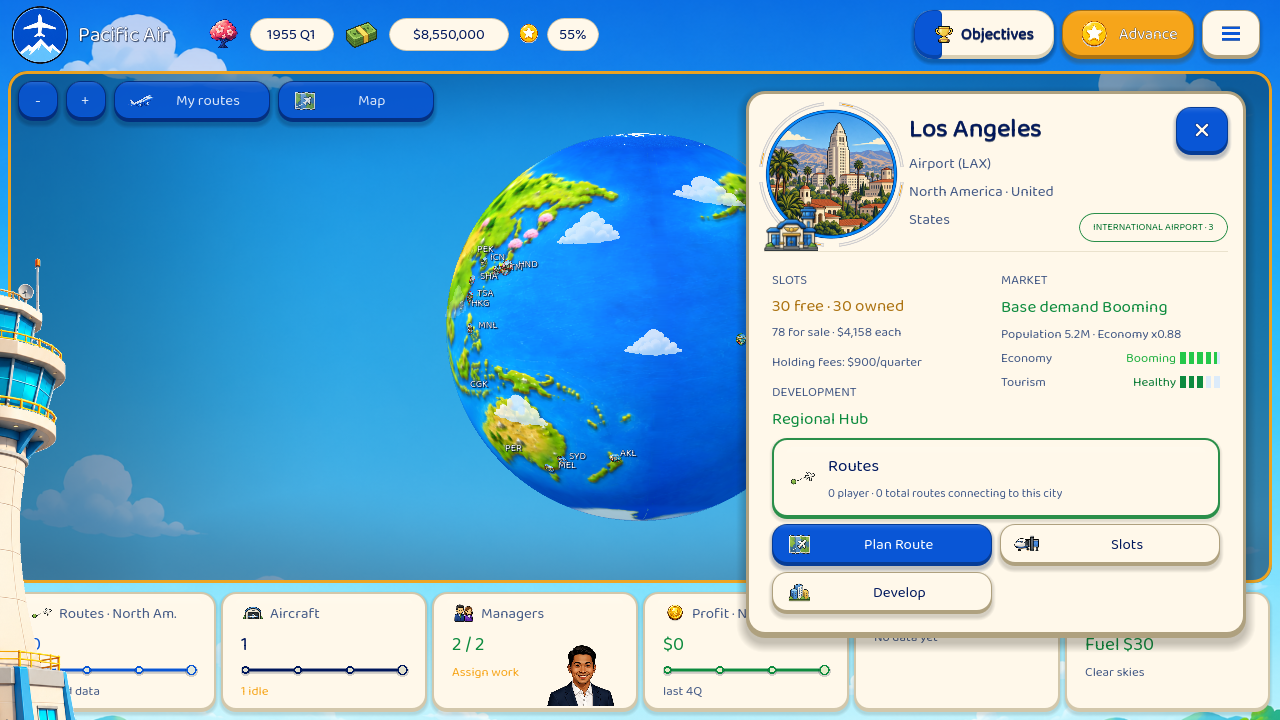
2. Plan the route and choose a refuelling hub
Open the route planner for New York → Honolulu. The DC-6 is initially shown as out of range. Under Technical Stop via Regional Hub, open the menu and choose a suitable refuelling hub.
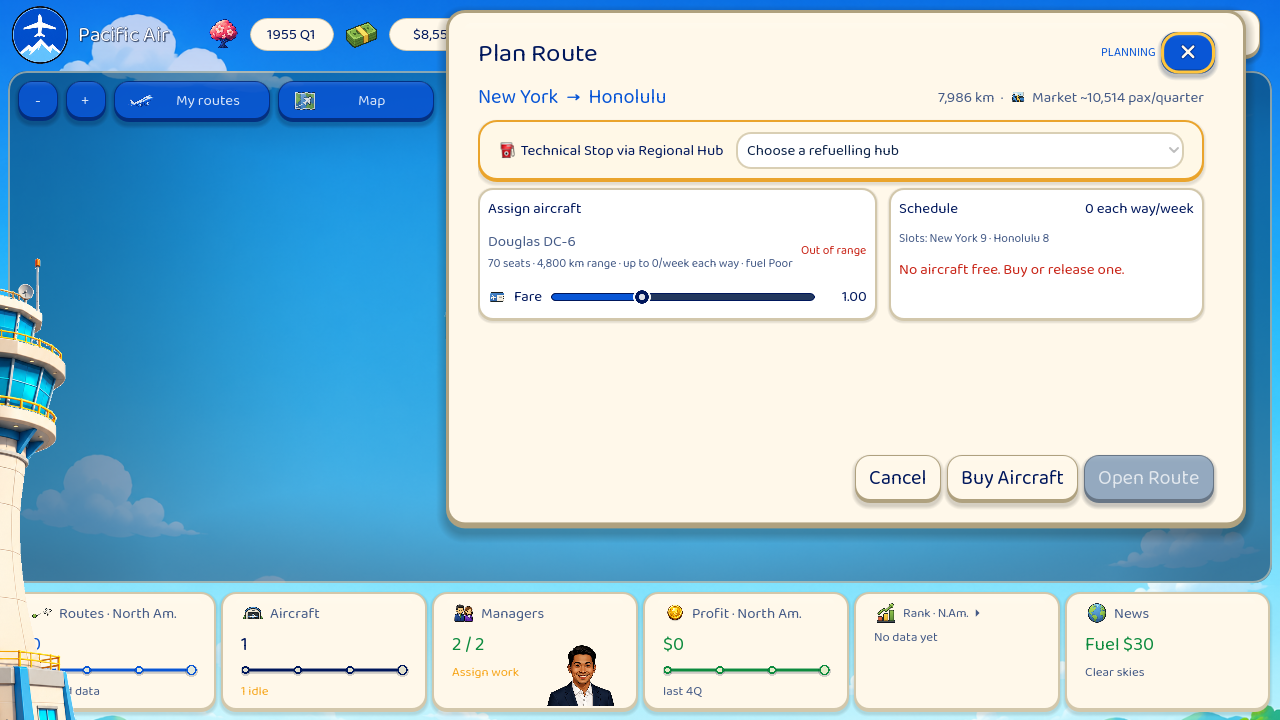
3. Assign your aircraft and manager
Select Los Angeles. The planner shows both leg distances and the hub slot requirement. Assign the DC-6 and a manager, review the schedule and forecast, then click Open Route.
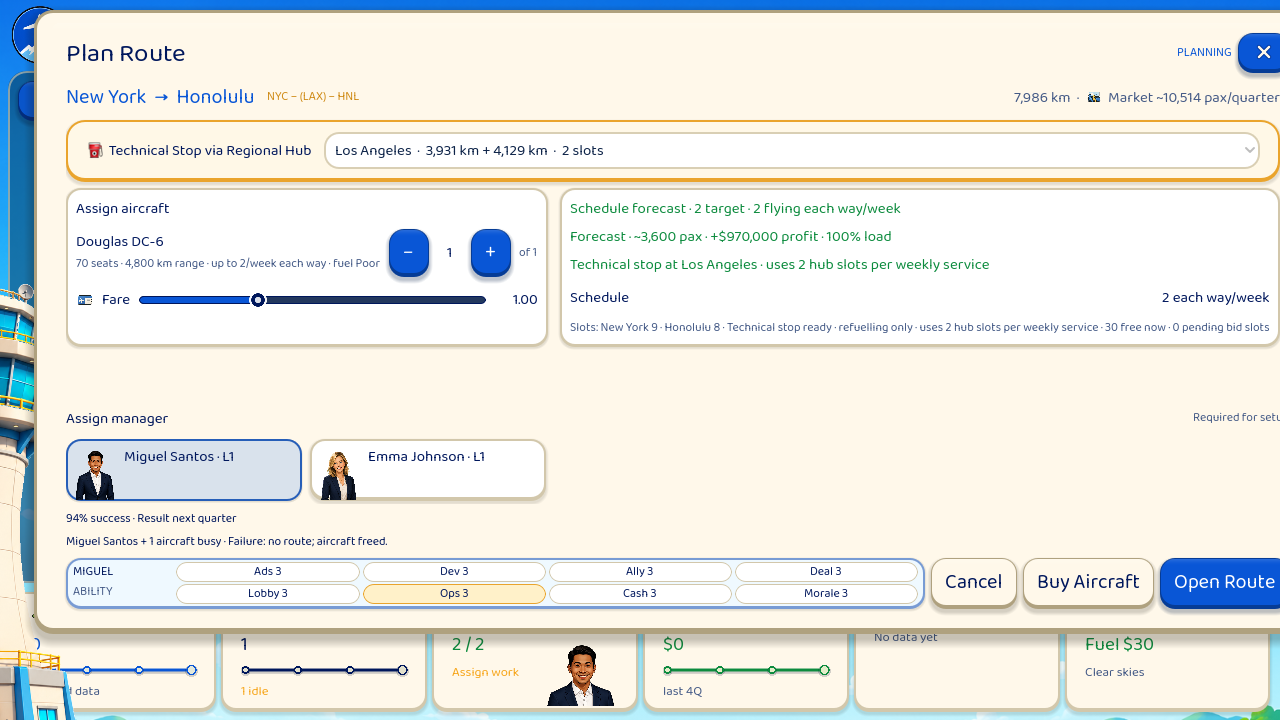
The stop is for refuelling only: passengers do not board, leave, or change flights there. The extra stop also reduces demand, so check the forecast before committing your aircraft.
Technical stops are available in full scenarios from 1955 onward; they are not available in the demo or tutorial scenarios.