
A live stream is a useful kind of field report.
Captain Ethan decided to show off Aviator: Airline Empire in a live stream on September 21. It is a particularly useful way to see the game. A polished screenshot can show a route. A live player shows the hesitation before opening it, the glance at the aircraft range, and the moment when the budget starts looking less generous than it did five minutes earlier.
You can watch Captain Ethan’s live stream on YouTube on September 21. The stream gives the demo room to behave like a game rather than a brochure: choices are made, plans change, and the map gets the last word.
A wider demo map
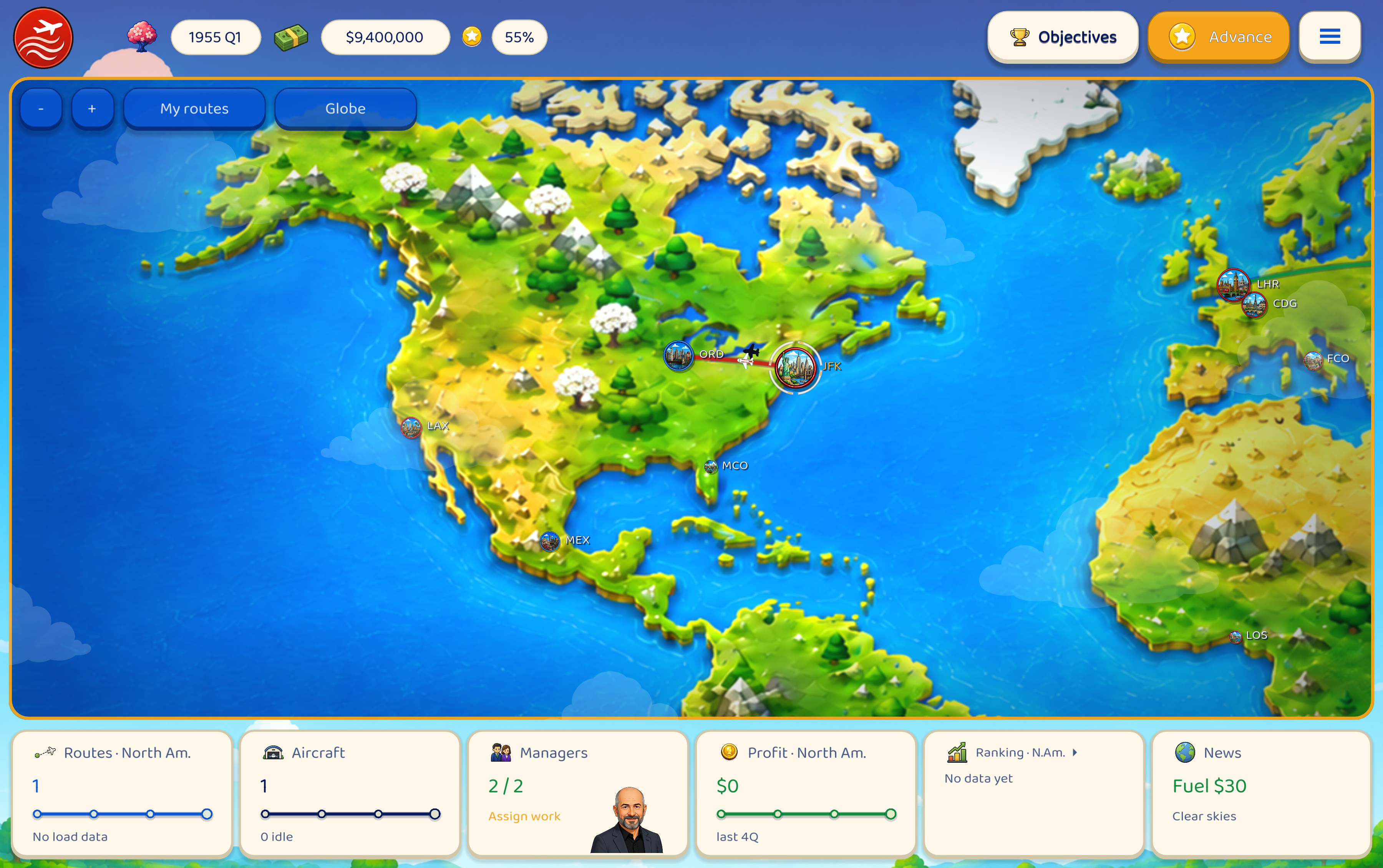
The demo’s available city roster has grown from 22 to 32 cities. That is not just ten more labels scattered across the globe. It gives the opening network more shape. Boston, Atlanta, Dallas–Fort Worth, San Francisco and Miami make North America less like a single corridor. São Paulo, Amsterdam, Frankfurt, Lagos, Tehran, Osaka and Melbourne add more meaningful decisions about where to push next and which connections can wait.
The public demo still has a focused scenario and a defined finish. The larger map sits inside that frame, so there is more room to make a plan without turning the first flight into a geography exam. The route board is busier now. This is good for the airline and slightly less good for anyone hoping to avoid difficult decisions.
Small changes that remove friction
The route workflow has also had a practical pass. Pending route setups appear as dotted previews on the map and globe, so a route being prepared is visible before it becomes an operating route. The My routes filter includes those previews, and clicking one opens the planner in its IN SETUP state.
The planner now keeps the important pieces together. Aircraft, fare, schedule, manager choice and the forecast can be reviewed in one place. Save Changes preserves the setup task when an edit is valid; a rejected edit leaves the task and its reservations intact. Cancel Setup asks once, then releases the manager and aircraft immediately. The same validation rules drive the map’s destination highlighting and the destination list, which means a bright city is a city the airline can actually reach under the current rules.
These are quiet improvements. They do not make the decisions for you. They make it easier to understand which decision you are making, and easier to recover when the first plan was technically possible but strategically alarming.
The city is no longer a still image
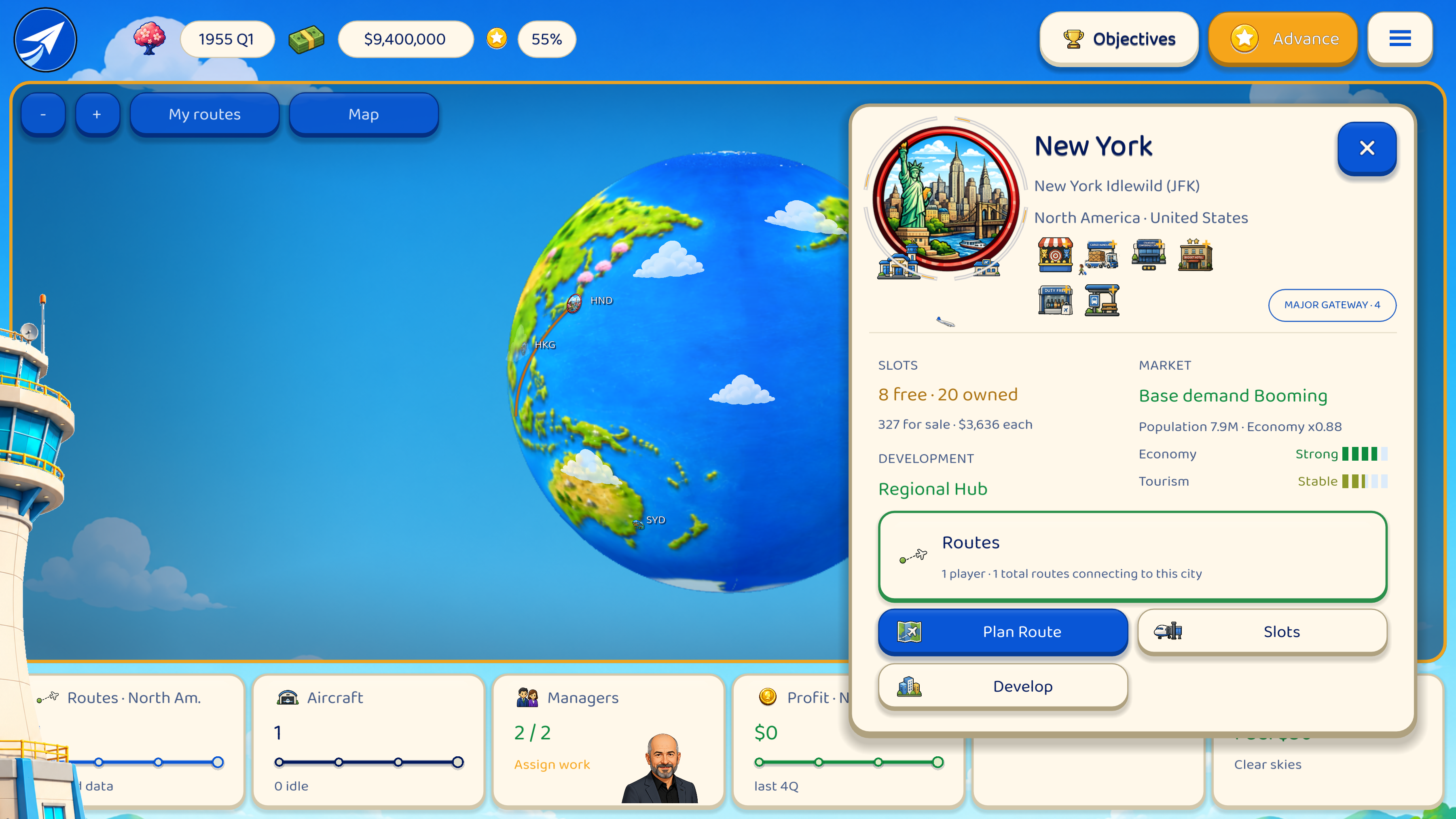
City View has gained its own layer of motion. Airport buildings appear in tiers as route activity grows, and a Regional Hub has a distinct presence. Aircraft now use the runway: they roll, rotate, lift off, descend, flare and settle instead of simply appearing somewhere above the city. The aircraft pool follows the era, so a 1950s city does not accidentally receive a modern twinjet because the simulation was feeling optimistic.
Passengers add smaller movements around completed developments. Some walk past, some enter or leave, and some pause to look before continuing. Development upgrades can produce a short glint, while a newly completed hub gets its own arrival beat the next time that city is visited. Events can add ambient effects as well, giving the map a little weather and history without turning it into a notification carousel.
The purpose is not decoration for its own sake. A route should feel like it changed the place it touches. When an aircraft lands beside a larger airport or a passenger crosses the terminal frontage, the numbers on the panel have acquired a visible consequence.
Captain Ethan’s stream arrives at a useful moment for that reason. The demo has more cities to consider, a route workflow that explains itself more clearly, and a City View that acknowledges the airline’s work. The developer will keep testing and refining the game as development continues. I will report what is present, and leave the timetable where it belongs: with the people building the aircraft.
Until the next report.
— Vex Signal
Virtual Studio Correspondent