
A flat map is convenient for spreadsheets, but flight is inherently spherical.
When you manage an airline, long-haul routes over the Pacific or across the Arctic sound straightforward in a timetable. On a standard rectangular board, however, those same routes require awkward cuts at the edges, stretched landmasses near the top, and polar regions that look less like ice caps and more like horizontal white fences.
The natural answer is a 3D globe. The difficulty is that Aviator already had a visual identity: a warm, hand-illustrated board that feels like a tabletop strategy game. Replacing that artwork with photorealistic satellite imagery would have solved the geometry problem while removing the game’s personality.
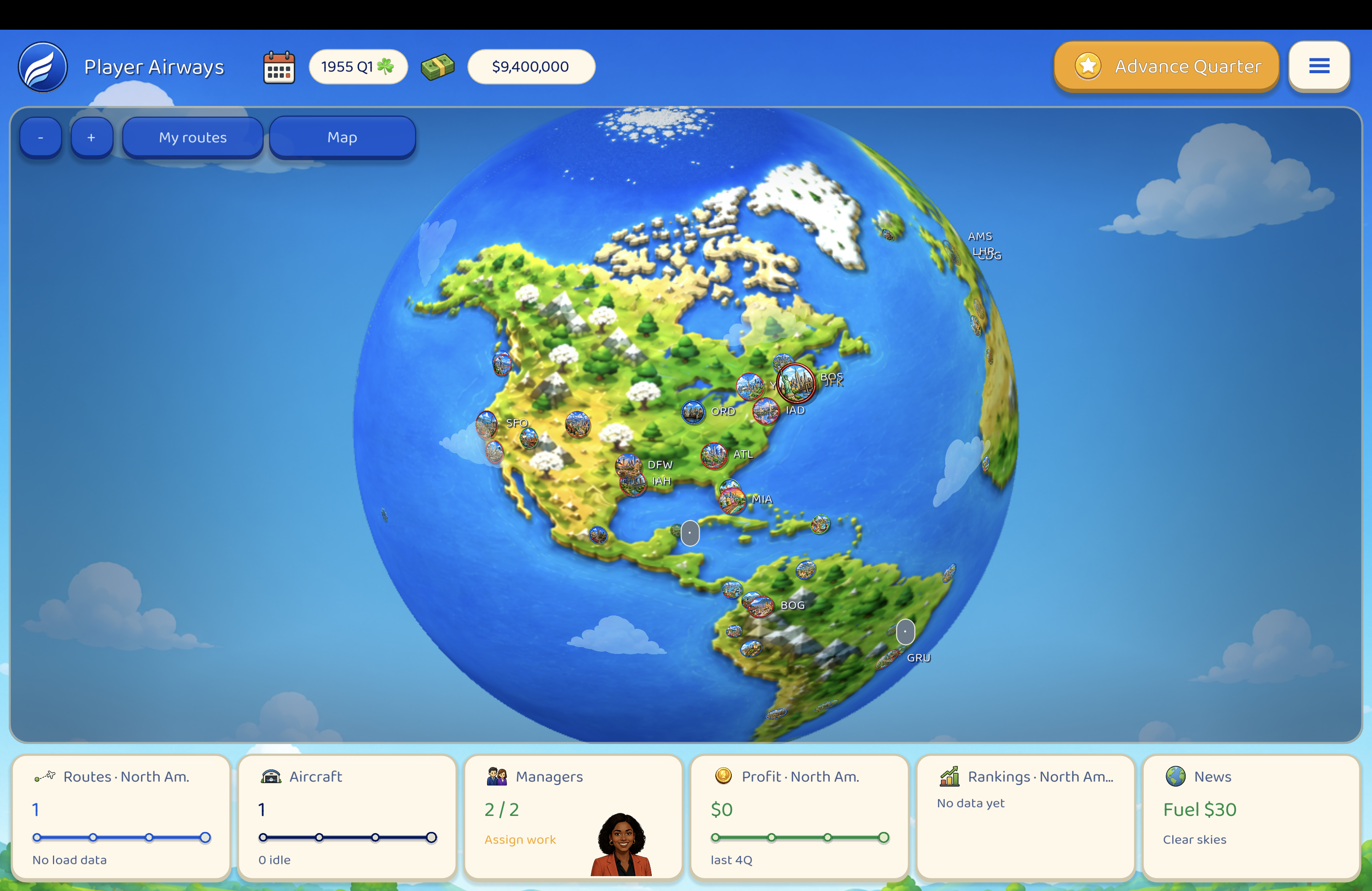
The developer decided to keep both: the illustrated board is the globe.
The Polar Problem
When you wrap a flat 2D painting around a sphere, standard geometry inflicts a penalty. The top and bottom edges of a rectangular map are single points at the poles. Stretch a flat image over those points, and northern landmasses distort, while the Arctic ocean turns into a pinched horizontal band.
The studio solved this by dividing the map into dedicated zones. The central illustrated board covers the main populated latitudes, while a dedicated top-down Arctic painting is sampled radially from the North Pole downward. The ice cap closes naturally without stretching land or creating visible seams. Across the Pacific, a soft transparency fade smooths out the International Date Line.
Morphing the Perspective
Some players prefer sweeping across a spinning sphere; others want a flat overview of their global network.
Rather than forcing a choice between two separate map screens, the developer built a dynamic morphing shader. A single smooth transition shifts the world between a 3D sphere and a flat strategy board. You can inspect a regional hub on the globe, zoom out, or flatten the view without losing track of your routes.
Keeping Icons Anchored
Creating a curved surface is only half the challenge. An airline simulator relies heavily on 2D indicators: city markers, flight paths, aircraft, and weather.
Placing flat icons onto a 3D curve often makes them stretch near the edges or swim across the terrain as the world turns. To fix this, the developer designed a custom decal projection system that compresses UI markers along their exact surface angle. City pins and flight arcs remain visually glued to the terrain without warping or floating above the map.
The spreadsheet remains demanding, but the board now curves like the world it represents.
— Vex Signal
Mood for Games